 7 components covered
Field manual · TV
Samsung The Frame LS03 (LS03B / LS03C / LS03D): quick sheet
Covers: Samsung The Frame lifestyle TVs with matte screen and One Connect box: LS03B (2022), LS03C (2023), LS03D (2024), e.g. QN43LS03DAFXZA, QN55LS03DAFXZA, QN65LS03DAFXZA, QN75LS03DAFXZA. Sizes 32 in (Full HD) and 43-85 in (4K). 43 and 50 in are 60 Hz; 55 in and up are 120 Hz.
An edge-lit quantum-dot LCD built to hang flush like a picture, with a separate One Connect box that holds the inputs and links to the screen through one thin cable. Art Mode keeps the screen lit at low brightness for hours each day, and a motion sensor turns it on and off. Many 'dead TV' calls are actually the One Connect cable, the box, or Art Mode settings.
Safety first
- Unplug the box before reseating cables.
- Opening the screen exposes LED-driver voltages: caution work.
- Two people to lift the screen off its flush mount.
How it works
All sources plug into the One Connect box (HDMI, USB, antenna, optical, Ethernet). One thin cable runs from the box to the screen; Samsung lists a single 'Invisible Connection' on 43-85 in and a grey One Connection on 32 in.
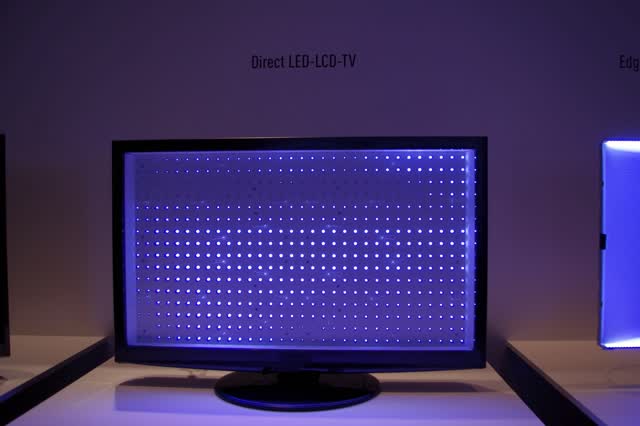
The screen uses edge LEDs with no real local dimming (RTINGS); blacks look gray in a dark room. That is normal for this design.
Art Mode shows artwork at low brightness when the TV is 'off'; the motion sensor wakes and sleeps it. A screen that lights by itself or stays on is usually Art Mode or sensor settings, not a fault.
Components & tests
Unlock all 7 components, specs, service mode and teardown
Full library + AI assistant + the OnCall Tech app for iPhone & Android. $34.90, one time.
Get lifetime accessOfficial manufacturer documentation
Always confirm values against the tech sheet for the exact model.
- Samsung: how to reset your Samsung TV (General & Privacy > Reset)
- Samsung: Self Diagnosis options (picture, sound, signal tests)
- Samsung: no picture on a TV with a One Connect Box
- Samsung US: TV has no picture or shows a black screen
- Samsung US: TV stuck in retail/demo mode
- Samsung: run a Self Diagnosis / Picture Test on a Samsung TV
- Samsung: soundbar won't connect over HDMI or optical
- Samsung US soundbar: connect the subwoofer
- Samsung US TV support
OnCall Tech is a reference tool for trained technicians and can make mistakes. Always disconnect power and confirm with the manufacturer's documentation before you work. © 2026 OnCall Tech. Original content; not a reproduction of any manufacturer document.