 7 components covered
Field manual · TV
Samsung Neo QLED QN85 / QN90 Mini-LED (B / C / D, 2022-2024): quick sheet
Covers: Samsung Neo QLED 4K mini-LED sets: QN90B/QN90C/QN90D and QN85B/QN85C/QN85D, e.g. QN65QN90CAFXZA, QN65QN90DAFXZA, QN55QN85DBFXZA. Year letter: B = 2022, C = 2023, D = 2024. QN90C sizes 43-85 in; QN90D 43-98 in; QN85C 43-85 in; QN85D 55-85 in. QN90DD / QN90CD are retailer variants of the same series (check the exact suffix before ordering parts).
Samsung's mid-range mini-LED line: thousands of small LEDs grouped into local-dimming zones, a quantum-dot LCD, four HDMI 2.1-class inputs and Tizen. The QN90 adds an anti-glare layer and higher brightness; the QN85 is the cheaper step down. Panel type changes by size (VA on some, wide-angle ADS-type on others), so viewing-angle complaints need the exact size.
Safety first
- Unplug and wait before opening.
- Power-board and LED-driver live tests are caution work.
- Two people to move or lift the panel; mini-LED boards and films scratch easily.
How it works
The power board supplies standby, logic and LED drive rails. A dimming controller on the main board tells the mini-LED driver how bright each zone should be, frame by frame.
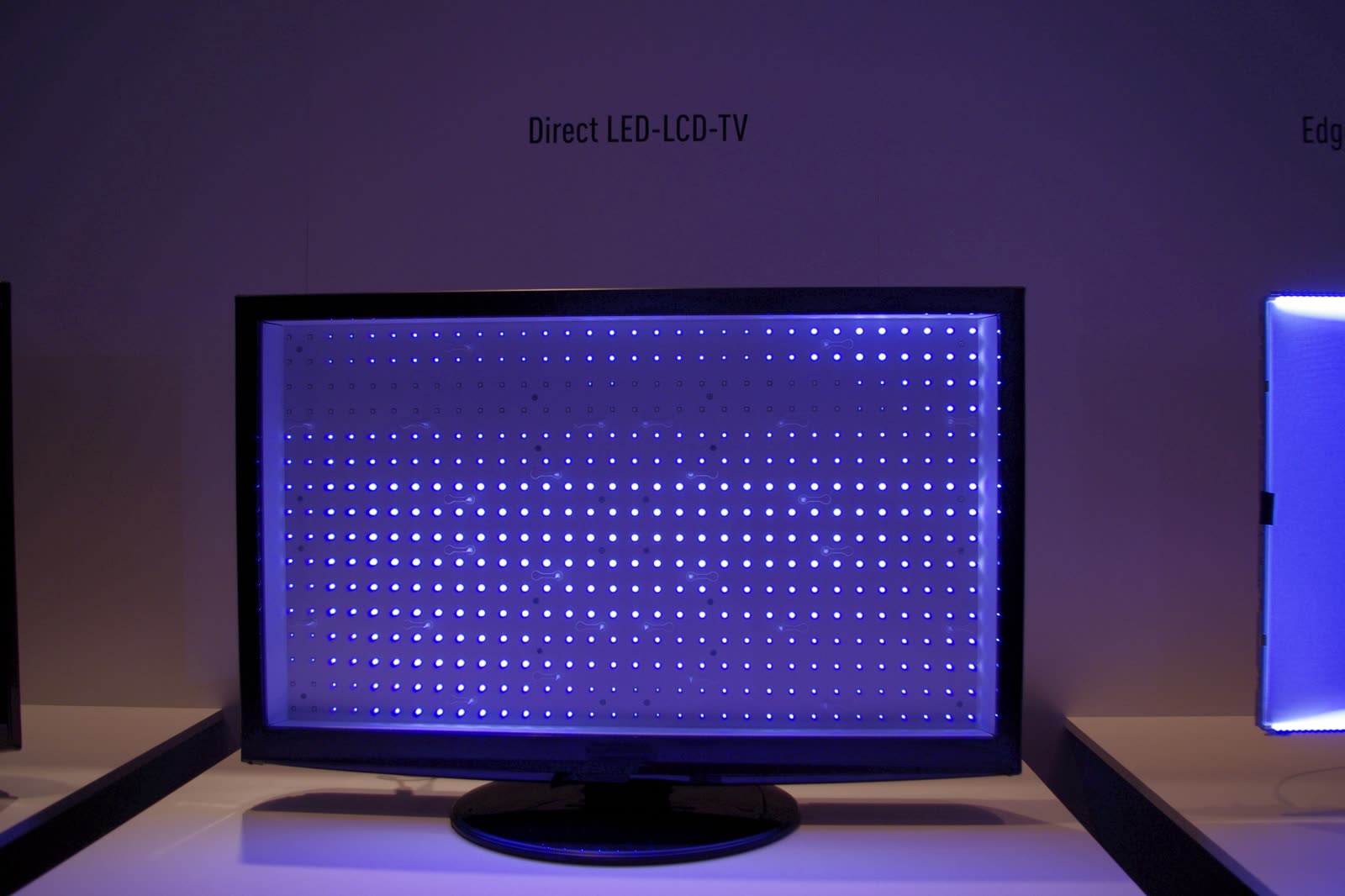
The mini-LED module is a set of boards carrying many small LEDs under a diffuser and quantum-dot film. A dead zone shows as a dark square or block; a driver fault can kill a whole region.
Blooming (halo around bright objects on black) is normal mini-LED behavior and changes with firmware and the Local Dimming setting. Do not order parts for it.
Components & tests
Unlock all 7 components, specs, service mode and teardown
Full library + AI assistant + the OnCall Tech app for iPhone & Android. $34.90, one time.
Get lifetime accessOfficial manufacturer documentation
Always confirm values against the tech sheet for the exact model.
- Samsung: how to reset your Samsung TV (General & Privacy > Reset)
- Samsung: Self Diagnosis options (picture, sound, signal tests)
- Samsung: no picture on a TV with a One Connect Box
- Samsung US: TV has no picture or shows a black screen
- Samsung US: TV stuck in retail/demo mode
- Samsung: run a Self Diagnosis / Picture Test on a Samsung TV
- Samsung: soundbar won't connect over HDMI or optical
- Samsung US soundbar: connect the subwoofer
- Samsung US TV support
OnCall Tech is a reference tool for trained technicians and can make mistakes. Always disconnect power and confirm with the manufacturer's documentation before you work. © 2026 OnCall Tech. Original content; not a reproduction of any manufacturer document.Generic part photos (not of this brand): LCD TV with the panel removed, showing the grid of lit LED backlights by RobertKuhlmann, CC BY-SA 3.0