 7 components covered
Field manual · TV
Samsung Crystal UHD CU8000 / DU7200 / DU8000 (2023-2024): quick sheet
Covers: Samsung Crystal UHD 4K LED sets one step above the CU7000: CU8000 (2023, e.g. UN55CU8000FXZA, UN65CU8000FXZA; 43-85 in), DU7200 (2024 retail-channel model, e.g. UN65DU7200) and DU8000 (2024, e.g. UN65DU8000FXZA). Year letter: C = 2023, D = 2024. The 85-inch CU8000 and DU8000 use a different 120 Hz panel with HDMI 2.1 features; do not treat them like the smaller sizes. The basic TU7000/CU7000 have their own sheet.
Budget-to-mid Samsung 4K LCDs on Tizen. Small sizes are 60 Hz panels with three HDMI inputs, an LED backlight with no real local dimming, and a single power board feeding the main board and the LED strings. Most field calls are dark screen with sound (LED strips), no power or clicking (power board), and app or input problems fixed in software.
Safety first
- Unplug and wait for the power board to discharge before opening.
- Live tests on the power board or LED driver are caution work: insulated probes, one hand, no jewelry.
- Two people for panel handling; never press on the glass.
How it works
Mains goes to the power board, which makes the standby rail, the main-board rails and the LED drive voltage for the backlight strips. The main board (Tizen, tuner, HDMI) sends video to the panel's timing electronics over a flat cable.
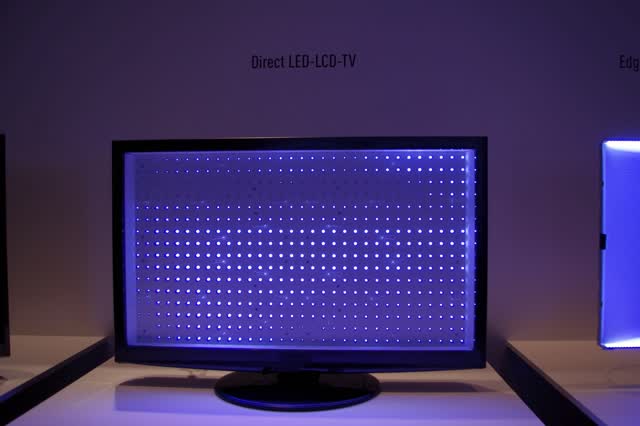
The backlight is a set of LED strips behind the diffuser. If one LED in a string goes open, the whole string, and often the whole screen, goes dark while sound keeps playing.
Size matters: reviewers confirm that 43-75 in sets are native 60 Hz with no 4K/120 support, while the 85 in model swaps to a 120 Hz panel with HDMI 2.1 features. Check the exact model and size before ordering any board or strip.
Components & tests
Unlock all 7 components, specs, service mode and teardown
Full library + AI assistant + the OnCall Tech app for iPhone & Android. $34.90, one time.
Get lifetime accessOfficial manufacturer documentation
Always confirm values against the tech sheet for the exact model.
- Samsung: how to reset your Samsung TV (General & Privacy > Reset)
- Samsung: Self Diagnosis options (picture, sound, signal tests)
- Samsung: no picture on a TV with a One Connect Box
- Samsung US: TV has no picture or shows a black screen
- Samsung US: TV stuck in retail/demo mode
- Samsung: run a Self Diagnosis / Picture Test on a Samsung TV
- Samsung: soundbar won't connect over HDMI or optical
- Samsung US soundbar: connect the subwoofer
- Samsung US TV support
OnCall Tech is a reference tool for trained technicians and can make mistakes. Always disconnect power and confirm with the manufacturer's documentation before you work. © 2026 OnCall Tech. Original content; not a reproduction of any manufacturer document.Generic part photos (not of this brand): Main electrical panel beside a subpanel with its cover removed by Gvolk, CC BY-SA 3.0