 7 components covered
Field manual · Thermostat
Honeywell Home T5 / T5+ Smart Thermostat (RCHT8610WF, RCHT8612WF, RTH8800WF): quick sheet
Covers: Honeywell Home / Resideo T5 Smart Thermostat RCHT8610WF (no C-wire adapter in the box), T5+ RCHT8612WF (ships with the THP9045A C-wire adapter) and RTH8800WF retail variant. T6 Pro, T9 and T10 have their own sheets.
A retail touchscreen Wi-Fi thermostat set up through the Resideo / Honeywell Home app. It must have 24 V common; the T5+ adds a small C-wire adapter that mounts at the equipment and converts the G and Y wires so a 4-wire home can power it. Most callbacks are adapter wiring mistakes, setups on systems with no G or no Y wire, and wrong system type or O/B setting.
Safety first
- Leave HVAC power off for the whole adapter install
- Never use on line-voltage heaters
- Do not land adapter leads between a zone panel and the equipment
How it works
The thermostat requires 24 VAC on C. If no spare conductor exists in the wall, the THP9045A adapter is installed between the thermostat cable and the equipment control board. It only works when both a G and a Y wire are present.
With the adapter, at the thermostat the old G wire is moved to C and the old Y wire is moved to the K terminal; R and W stay where they are. At the equipment the adapter's leads go to the board's R, C, G, Y and W terminals. The adapter then splits the K signal back into fan and compressor calls.
On zoned systems the adapter goes between the thermostat and the zone panel, never between the zone panel and the equipment.
System type, heat pump changeover (O/B) and backup heat are chosen during app setup or in the thermostat's advanced setup. The installation manual lists up to 2 cool/compressor stages and 0-1 aux/emergency stages for heat pumps.
S and U terminals (sensors, accessories) are not supported on this model.
Components & tests
Unlock all 7 components, specs, service mode and teardown
Full library + AI assistant + the OnCall Tech app for iPhone & Android. $34.90, one time.
Get lifetime accessOfficial manufacturer documentation
Always confirm values against the tech sheet for the exact model.
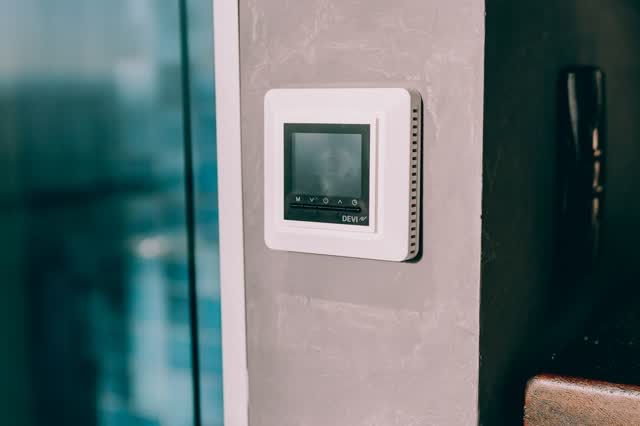
OnCall Tech is a reference tool for trained technicians and can make mistakes. Always disconnect power and confirm with the manufacturer's documentation before you work. © 2026 OnCall Tech. Original content; not a reproduction of any manufacturer document.Generic part photos (not of this brand): Digital thermostat mounted on a concrete wall by Alexander Mass, Pexels License