 9 components covered
Field manual · Thermostat
ecobee3 lite smart thermostat (EB-STATE3LT-02 and Pro EB-STATE3LTP-02): quick sheet
Covers: ecobee3 lite retail (EB-STATE3LT-02) and contractor/Pro version (EB-STATE3LTP-02). Now listed as discontinued by several distributors but very common in the field. ecobee Premium/Enhanced have their own sheet.
A touchscreen Wi-Fi thermostat without the built-in speaker/microphone of the bigger ecobees. It needs steady 24 V power (C wire, or the Power Extender Kit) and supports up to 2 conventional heat / 2 cool stages, or heat pumps with up to 2 compressor stages plus 2 aux stages. Later firmware added SmartSensor support. Service calls usually come from PEK installs, missing C wire and threshold settings on heat pumps.
Safety first
- Turn HVAC power off before wiring
- 24 V only: not for line-voltage baseboard heat
- Do not lower the compressor minimum outdoor temperature below the heat pump's rated operating range
How it works
At first power-up the thermostat detects which terminals have wires and builds the equipment profile from that plus a few questions. The configuration can be changed later under Main Menu > Settings > Installation Settings.
Heat pump logic is controlled by Thresholds settings on the thermostat itself (not the app or web portal). Compressor Minimum Outdoor Temperature (default about 35°F) stops the compressor below that outdoor temperature; Aux Heat Max Outdoor Temperature blocks strip heat above a set outdoor temperature. Outdoor temperature comes from Wi-Fi weather.
Minimum compressor and heat on-times default to about 5 minutes (300 s) to prevent short cycling. Differentials (how far temperature drifts before a call) are adjustable.
Without a C wire, the Power Extender Kit (PEK) mounts at the furnace/air handler board and lets the thermostat get common through the existing wires; the thermostat then uses its PEK terminal.
Components & tests
Unlock all 9 components, specs, service mode and teardown
Full library + AI assistant + the OnCall Tech app for iPhone & Android. $34.90, one time.
Get lifetime accessOfficial manufacturer documentation
Always confirm values against the tech sheet for the exact model.
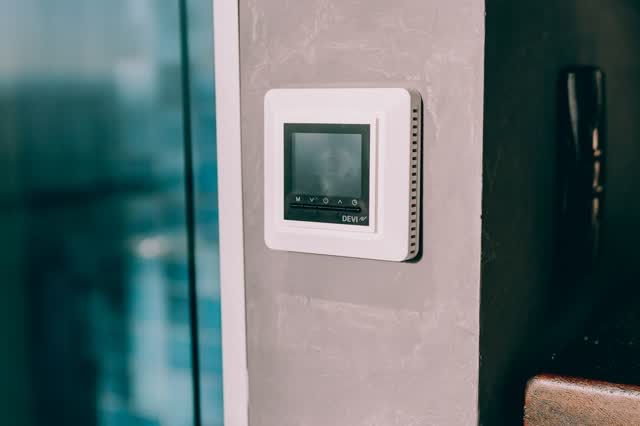
OnCall Tech is a reference tool for trained technicians and can make mistakes. Always disconnect power and confirm with the manufacturer's documentation before you work. © 2026 OnCall Tech. Original content; not a reproduction of any manufacturer document.Generic part photos (not of this brand): Digital thermostat mounted on a concrete wall by Alexander Mass, Pexels License