 7 components covered
Field manual · TV
LED/LCD TVs (all brands): field service manual
Covers: Flat-panel LCD TVs with LED backlight (edge-lit, direct-lit, mini-LED and QLED/QD-film sets), roughly 2010 to current. Board names and layouts vary by brand and series.
Every LED/LCD set is the same four-block chain: power supply, main board, timing controller (T-con) and the LCD panel with its LED backlight behind it. Field repair is mostly diagnosing which block failed and swapping a board or the backlight strips; the LCD glass itself is not a field repair. The fastest split is the flashlight test: it tells you in a minute whether the fault is light (backlight/power) or image (T-con/main/panel).
Safety first
- Power-supply boards and backlight drivers hold dangerous voltage and can stay charged after the set is unplugged. Internal work is for trained technicians only: unplug, wait several minutes, and never touch the primary side of the power board, the large filter capacitor or the LED output connector with the set connected.
- Two people for sets 55 in and larger; handle the panel by its frame only.
- Never press on the LCD glass or bend the flex cables bonded to it; a creased flex is a dead panel.
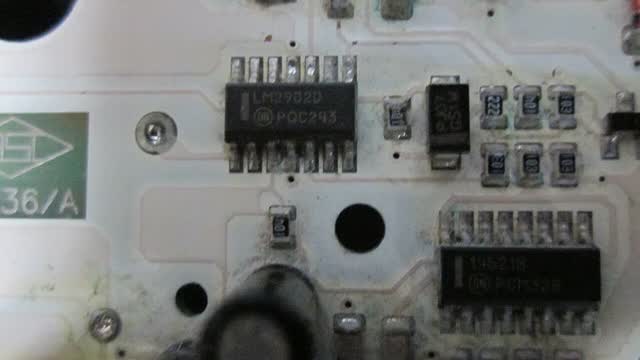
- Use ESD protection when handling the main board and T-con.
- Live voltage measurements are trained-tech work only, on low-voltage output connectors, with one hand and insulated probes.
How it works
Wall power reaches the power supply board. While the set is off, the power board only runs a small standby rail (usually 5 V, sometimes 3.3 V) that keeps the main board's microcontroller and the IR receiver/standby LED alive.
When the remote or power key is pressed, the main board sends a power-on command (often labeled PS_ON or PWR_ON) back to the power board. The power board then brings up the main rails, commonly 12 V and/or 24 V plus lower rails, which feed the main board, the T-con and the backlight driver.
The main board is the brain: it switches inputs (HDMI, tuner, USB, apps), decodes and scales the video, runs the smart-TV software, drives the audio amplifier and speakers, and tells the power board when to turn the backlight on.
Processed video leaves the main board over flat ribbon cables (LVDS or similar) to the T-con. The T-con converts it into the row/column timing the LCD needs and feeds the panel through thin flex cables bonded to the glass.
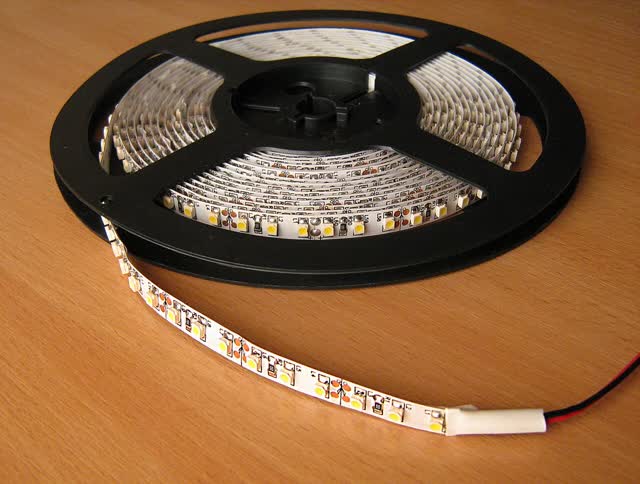
The LCD only blocks or passes light; it makes no light of its own. The light comes from strings of white LEDs on strips behind the panel (direct-lit) or along one or two edges (edge-lit). The backlight driver, built into the power board on many sets or on a separate board on larger models, converts a main rail into a higher DC voltage and regulates the current through each LED string.
LEDs on a strip are wired in series, so one open LED can kill a whole string. Many sets also watch the backlight load and shut the backlight (or the whole TV) down if a string looks open or shorted, which is why backlight faults often show up as 'turns on, then goes black' or a blinking standby LED.
Components & tests
Unlock all 7 components, specs, service mode and teardown
Full library + AI assistant for $34.90, one time.
Get lifetime accessOfficial manufacturer documentation
Always confirm values against the tech sheet for the exact model.
- Roku support: Wi-Fi & connectivity articles
- Amazon Fire TV help (black/blank screen)
- Epson projector support & FAQs
- Samsung US soundbar: connect the subwoofer
- Samsung US TV support
- LG US support
- TCL support (Roku TV & Google TV models)
- Vizio support
- Sony electronics support
- Hisense USA support
- Roku support
OnCall Tech is a reference tool for trained technicians and can make mistakes. Always disconnect power and confirm with the manufacturer's documentation before you work. © 2026 OnCall Tech. Original content; not a reproduction of any manufacturer document.